
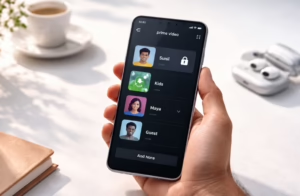




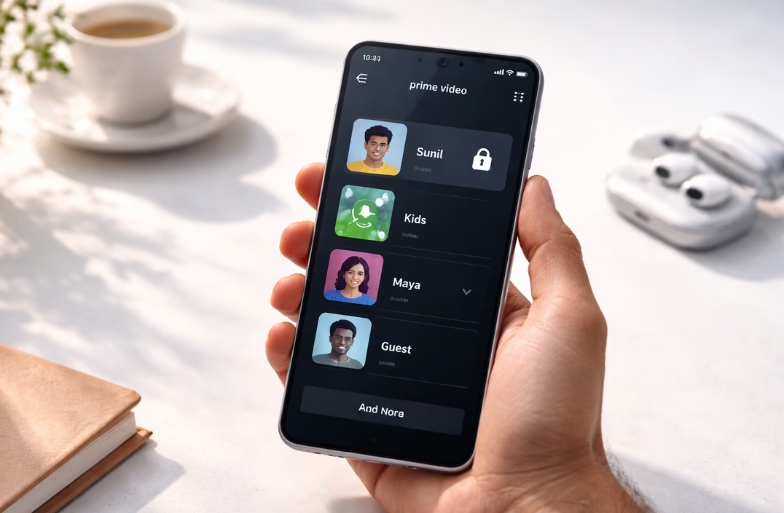
Watching shows and movies on Amazon Prime Video with family can be fun, but sometimes kids or other household members might accidentally switch profiles or access content you don’t want them to see. That’s where profile locking comes in handy. A locked profile requires a passcode to open, so you stay in control of what’s watched on your account.
This guide walks you through how to lock your Amazon Prime Video profile step by step, plus a few extra tips to make your streaming experience safer and smoother. Let’s get started!
What prerequisites do you need before you start
Before you lock a profile, make sure:
- You are signed in to Prime Video on a browser or device that supports profile management.
- You know your account password, as you may need it to confirm changes.
- You can create a 4-digit PIN that you’ll remember easily. A PIN can’t be too simple (like 0000), and it should be something secure but memorable.
Steps to lock your Amazon Prime Video profile
The process to lock your Amazon Prime Video profile is similar whether you’re using a computer or the Prime Video app on mobile, so here’s how it goes:
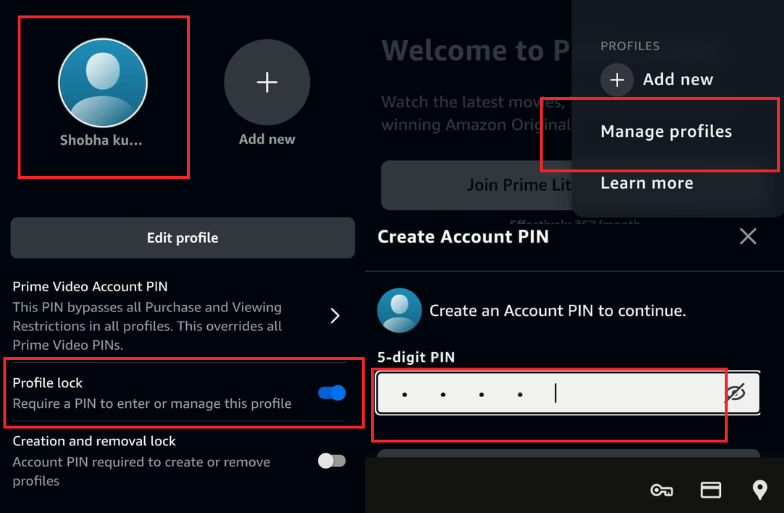
- Open your Prime profile and click on “Manage Profiles” from the dropdown and pick the profile you want to lock.
- Look for “Profile Lock” settings and tap or click it.
- Enter your Amazon account password when prompted. This confirms it’s really you.
- Next, Create a 4-digit PIN. You will use this every time someone tries to open that profile.
- Lastly, turn on profile lock for the selected profile by saving the settings.
Once the above steps are done, the profile is locked. Now, if anyone who tries to open it will be required to enter the 4-digit PIN you created.

Why lock your Amazon Prime Video profile
Locking your profile helps you maintain better control over your viewing experience. It protects your viewing history, especially if you share your account with others. This ensures no one watches or recommends content you don’t want on your profile. It also helps avoid accidental changes. For instance, kids might switch profiles, change settings, or watch inappropriate content by mistake.
Moreover, locking keeps your recommendations relevant by keeping your watch history clean, so you continue getting suggestions that truly match your interests.
Important Tip: Keep your PIN safe
A profile lock PIN helps protect your viewing preferences and history, but it’s only useful if you remember it. Here are some quick PIN tips:
- Avoid obvious PINs like 1234 or 0000.
- Choose something easy for you to remember but hard for others to guess (for example, a combination based on a personal memory that isn’t publicly known).
- Don’t share your PIN with everyone.
What if you forget your profile PIN?
Don’t worry if you forget the PIN, you can easily reset it by following the steps shown here:
- Go back to “Manage Profiles” on Prime Video.
- Select the locked profile and tap “Profile Lock” settings.
- Choose “Reset PIN” or “Forgot PIN” (depending on your device).
- You’ll usually need to enter your Amazon account password to confirm your identity.
- Create a new 4-digit PIN.
FAQs
Q: Does locking a profile affect other people’s viewing?
No. It only stops someone from opening that specific profile without a PIN. Other profiles remain usable unless you lock them too.
Q: Will locking stop kids from watching shows on other profiles?
If you lock only one adult profile, kids might still access other unlocked profiles. Lock any profile you don’t want others to enter.
Q: Can I use this feature on all Amazon Prime plans?
Yes, profile locking is available on all Prime Video accounts that use the multiple profiles feature.
Q: Does profile locking remove parental controls?
Profile locking is separate from Prime Video parental controls. Locking just prevents access, while parental controls let you restrict content ratings. You can use both together for stronger safety.


