





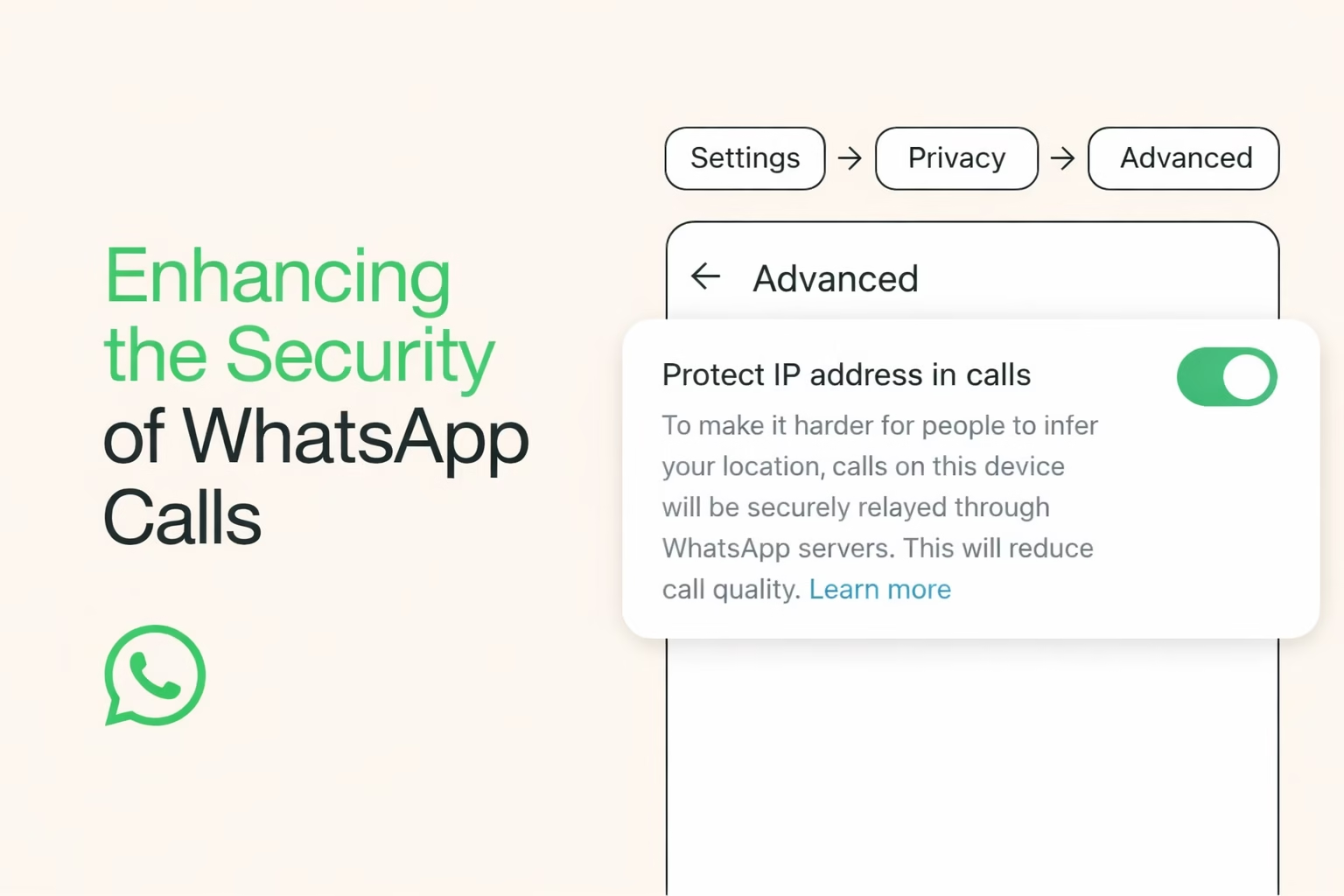
In a time when online privacy is a growing concern, the apps we use every day are constantly evolving to help protect our personal data. WhatsApp, with over 2 billion users worldwide, has long been known for its end-to-end encryption. The app ensures that only the sender and receiver can view messages or calls. But even with encryption, certain technical aspects of communication can expose sensitive details. To address this vulnerability, WhatsApp has rolled out a feature called “Protect IP Address in Calls.” This setting hides your IP address from other participants during voice and video calls, routing calls through WhatsApp’s own servers instead of directly between devices. Let’s go through the article to learn how to enable this WhatsApp IP Protect Feature in detail.
Enable the WhatsApp IP Protect Feature
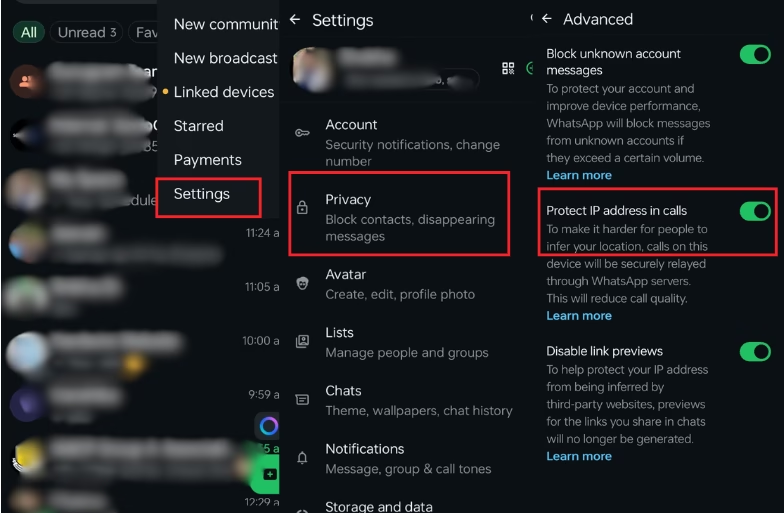
Here, we have shared a simple walkthrough to help you turn on WhatsApp’s IP Protect feature on your Android or iOS smartphone:
- Open the latest version of the WhatsApp app and tap the three dots (⋮) located at the top-right corner of the screen (Android) or tap Settings from the bottom bar (iOS).
- Select Privacy in Settings.
- Next, scroll down to the Advanced section near the bottom of the privacy settings and look for Protect IP address in calls.
- Toggle the switch ON to activate the feature and you’re good to go!
That’s it! Once enabled, your IP address will no longer be visible to other call participants. By routing your calls through WhatsApp’s servers, this feature ensures that your actual network address and therefore, your general location remains hidden from everyone in the call.

What IP Protection Actually Does and Does Not Do
Understanding what this feature can (and cannot) do will help you decide whether to enable it.
What It Does
- Masks your IP address: Other participants can’t see your network address during a call.
- Improves privacy: Makes it harder for someone to infer your approximate location or internet provider.
- Adds a security layer: Calls are still end-to-end encrypted, and relaying them through servers stops direct connections from exposing your IP.
What It Does Not
- Completely anonymize you: The WhatsApp IP Protect Feature doesn’t make you invisible online. It specifically hides only your call-related IP from other call participants.
- Prevent all privacy threats: Other metadata, such as message timestamps or contact lists may still be visible to WhatsApp or collected as per its broader privacy policy.
IMPORTANT: Enabling this feature might slightly affect call quality because calls no longer connect directly between devices.
Other WhatsApp Privacy Tools Worth Exploring
WhatsApp’s IP Protect feature is just one of several settings. If you’re serious about safeguarding your presence on the app, consider checking out these additional tools too:
- Advanced Privacy Settings
- Silence Unknown Callers
- Control Location Sharing
In an era where digital privacy is increasingly under threat, enabling the WhatsApp IP Protect feature can be a smart move. By simply toggling a switch in the app’s settings, you can make it much harder for others to determine your IP address and approximate location. While the change may slightly impact call quality, for many privacy-conscious users, this is a worthwhile trade-off.
If online security matters to you, this feature is one of the easiest ways to take control of your digital footprint on WhatsApp.