



Google has started rolling out a major update to its Chrome browser with new Gemini AI features. The update is first available to users in the United States and will expand to more regions soon. With this change, Chrome is no longer just a web browser; it is becoming a smart assistant that helps users complete tasks, summarize pages, and even edit images.
Gemini In Chrome
Gemini is Google’s latest AI model. It is now deeply integrated into Chrome to make web browsing more intelligent and productive. It works inside the browser to help users with everyday online activities. For instance, it can summarise long web pages, help compare products, write quick drafts or guide you while planning a trip. The best part is that it does all within the same tab!
Let’s know how it actually works. Gemini uses the context of the page you are on to understand what you might need. The AI also links smoothly with other Google apps such as Gmail, Maps and Calendar. This means Chrome can now pull useful information like travel details from your email or suggest routes through Maps.
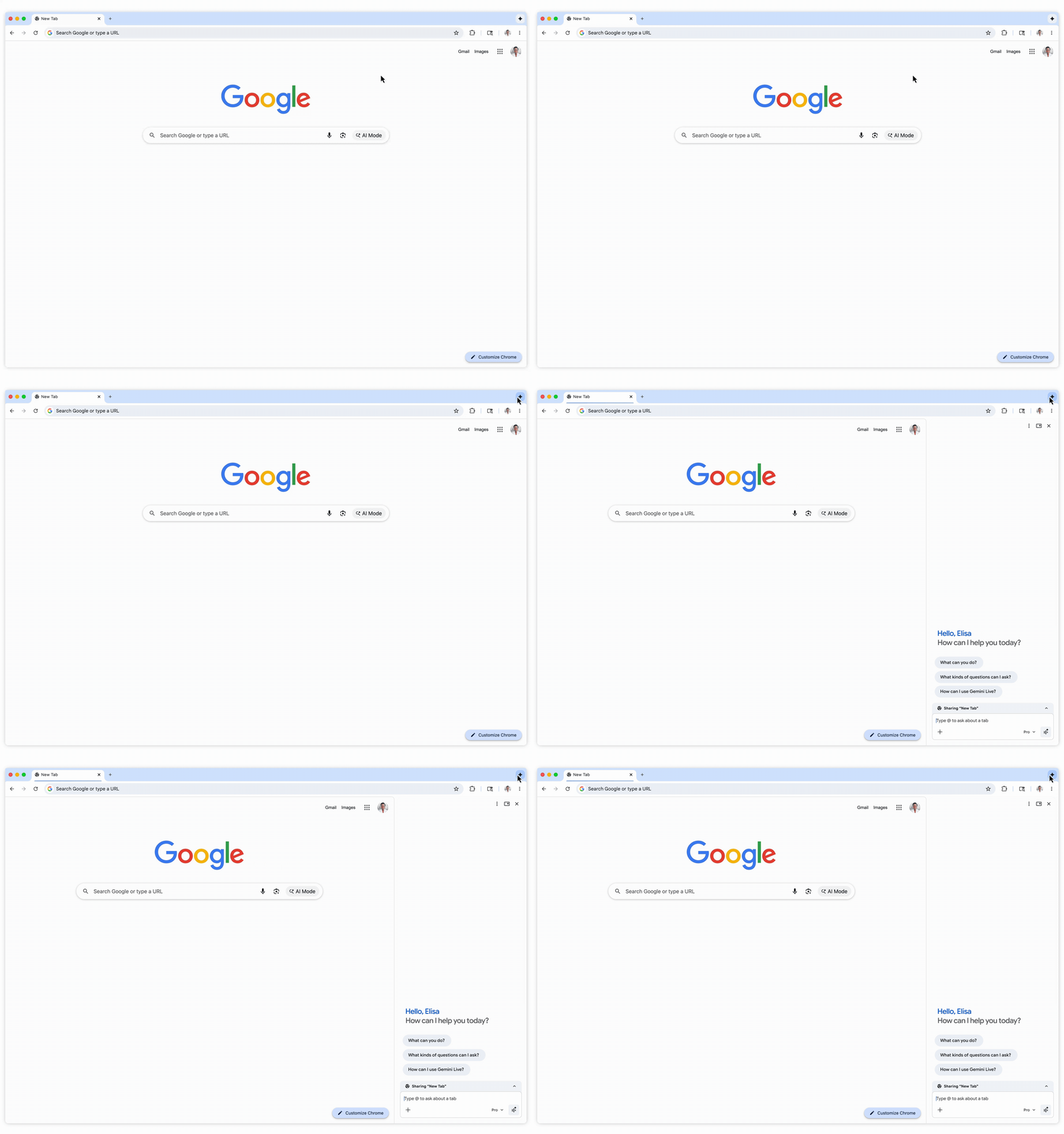
All this happens inside a new Gemini side panel built into Chrome!
Key New Features With Gemini AI
The new update brings several smart tools to Chrome that use Gemini’s capabilities to improve browsing and task management. Here are some of the key highlights:
Auto-Browse For Complex Tasks
Auto-Browse is one of the most useful new features. This includes comparing products or filling out forms across websites. Users can give simple instructions such as “find the best hotels under Rs 10,000,” and Gemini will explore sites, gather results and display them in a clear format.
Gemini Panel And In-Page Assistance
A Gemini panel now appears on the side of Chrome. This panel allows users to ask questions, summarise content or generate ideas while browsing any webpage. Instead of switching between tabs, everything happens right beside the content you are viewing.
Built-In Image Tool: “Nano Banana”
Google has added a fun AI image generator called Nano Banana inside Chrome. With it, users can edit or create images by typing short text prompts. This makes it easier to modify visuals for presentations, blogs or creative work without using third-party editing tools.
Benefits And User Concerns
The Gemini update brings clear advantages for people who spend long hours online. It saves time, streamlines repetitive work and connects tasks across Google’s ecosystem.
However, while many users have welcomed the changes, not everyone feels comfortable about how deeply AI is now embedded in their browser.
Conclusion
With Gemini, Google Chrome is stepping into a new phase where it acts more like an assistant than a browser. If Google manages to balance privacy, transparency and innovation, this could mark the beginning of a new era in web browsing.
