


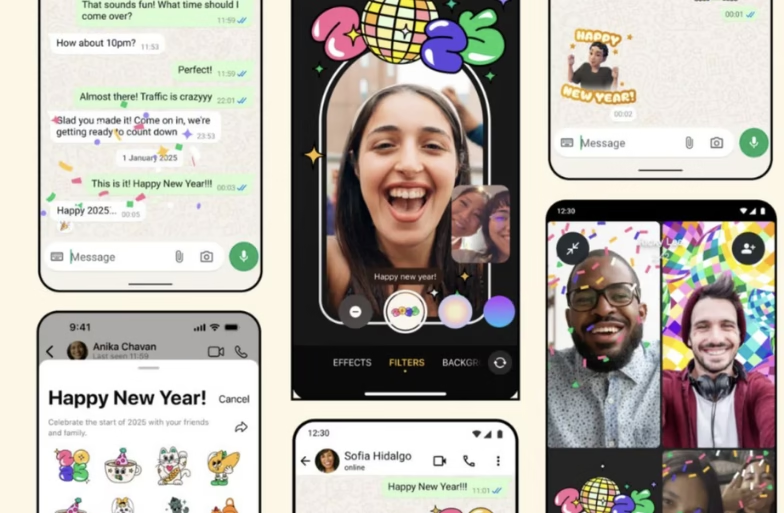
WhatsApp has introduced a fun new way to celebrate the upcoming year. The app now includes a special animated sticker to mark the arrival of 2026. This feature makes chats, statuses and channels more festive and dynamic without affecting app performance. To know more, read the full story!
Prerequisites for Trying Out the Latest WhatsApp Beta Sticker Update
To be eligible to try out this feature, you must have the following:
- You must be an iPhone user.
- The latest WhatsApp beta version 25.36.10.72 should be installed via Apple’s TestFlight app.
Steps to Use the New Animated 2026 Sticker
- Open WhatsApp on your iPhone.
- Check for the latest beta update (version 25.36.10.72) in the TestFlight app.
- Go to a chat, group or channel where you want to send the sticker.
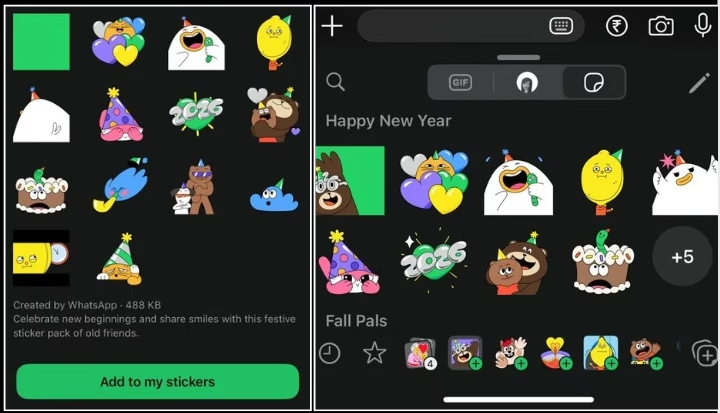
- Access the sticker tray and look for the New Year 2026 animated sticker.
- Select and send the sticker to share your festive wishes.
FAQs
Why can’t I see the animated sticker yet?
The rollout is gradual. It may take some time before it becomes available to all beta testers.
What makes this sticker special?
It is built using the Lottie animation format. It ensures smooth, lightweight motion without taking up much space.
Can I use it in all chats?
Yes, WhatsApp’s new animated New Year 2026 Sticker works across individual chats, group chats, channels and status updates.
WhatsApp’s new animated 2026 sticker adds a lively touch to your messages and updates. If you’re a beta tester, keep an eye out for the update and make your chats sparkle with this festive addition.
Follow Hardwire.News to never miss an update!
