



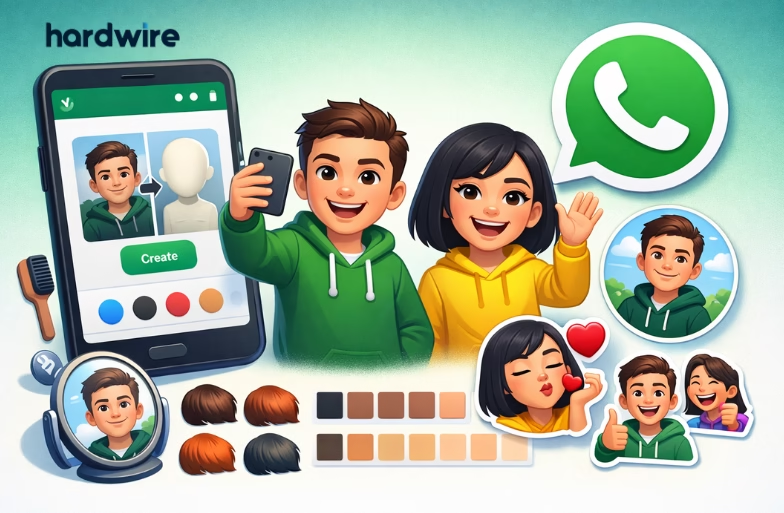
The Avatar feature in WhatsApp lets you create a digital version of yourself that looks fun and expressive. You can use this avatar as your profile photo and send avatar stickers in chats. WhatsApp lets you either create an avatar from a selfie or customize it manually, giving you full control over your look.
Step-by-Step Guide to Create Avatars on WhatsApp
If you want a personalized avatar that matches your style, follow the steps shared below:
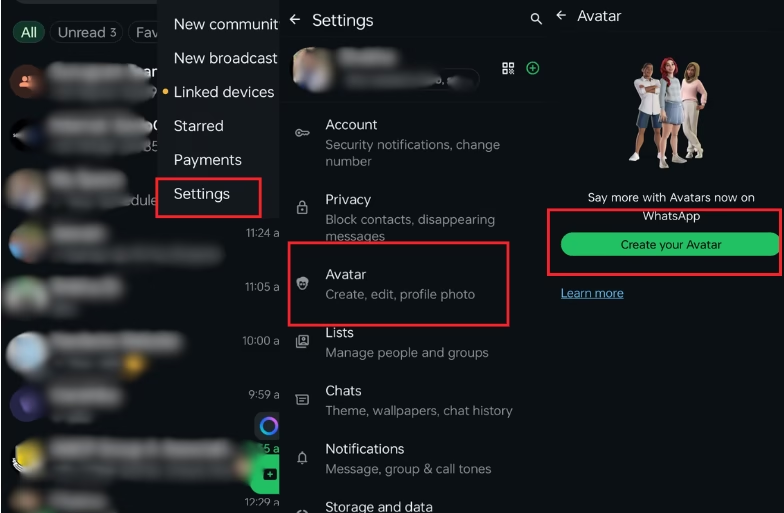
Step 1: Open WhatsApp and tap on the three dots in the top-right corner. From the menu, tap Settings.
Step 2: In the Settings menu, tap on Avatar. Here, you’ll see the option to create a new avatar.
Step 3: Tap on the “Create Your Avatar” button to get started.
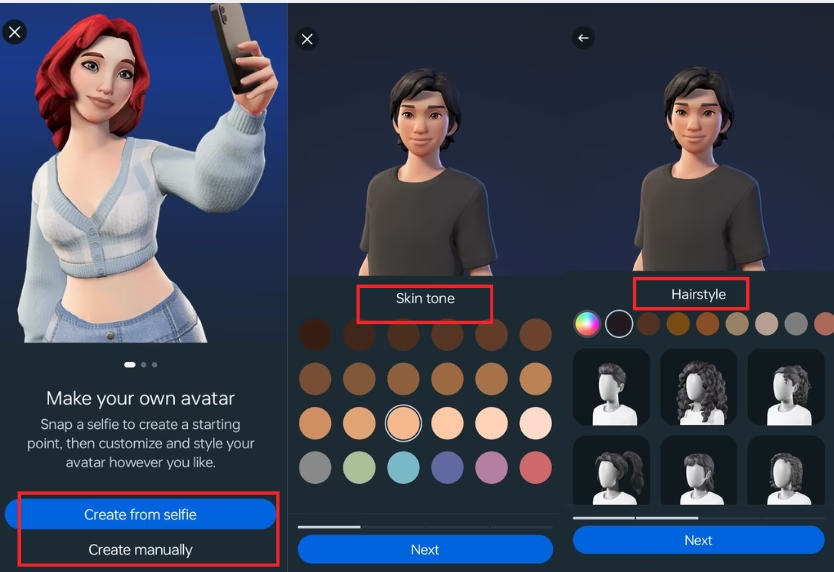
Step 4: Choose How You Want to Create Your Avatar as WhatsApp gives you two options:
- Create from selfie: In this, WhatsApp scans your face and creates a base avatar.
- Create manually: In this, you build the avatar step by step.
Here, you should just select the option you prefer and continue.
Step 5: Choose a hairstyle that matches your look. You can also select the hair color from the available shades. Once done, tap Next.
Likewise, you can easily choose your skin tone, body type, face shape and features. Once all steps are completed, your WhatsApp Avatar will be created successfully.


How to Use Your WhatsApp Avatar
You can use your avatar in different ways:
- Set it as your profile photo
- Send avatar stickers in chats
- Use it across supported Meta platforms
Upcoming Features for WhatsApp Avatars
WhatsApp is expected to expand its avatar capabilities beyond static stickers and profile pictures. Meta is also testing avatar-based video calls. In this, users can appear on camera as animated versions of themselves that mirror their facial expressions in real time.
The platform may also introduce avatar reactions for group chats and calls, along with seasonal outfits and themes to match festivals or global events. These updates aim to make avatars more interactive and expressive and would turn them into a core part of digital communication on WhatsApp.
Privacy and Data Handling
Meta states that the avatar creation process on WhatsApp is private and secure. If you choose the selfie option, the image is used only to generate your avatar and is not stored or shared with others. Users can also skip the selfie and build their avatars manually if they prefer.
Avatar data stays local to your account, and no facial recognition data is collected. This means your avatar is under your full control.
FAQs
Q1. Can I edit my WhatsApp avatar later?
Yes, you can edit your avatar anytime by going to Settings > Avatar > Edit Avatar.
Q2. Is the WhatsApp avatar free to use?
Yes, creating and using a WhatsApp avatar is completely free.
Q3. Can I delete my avatar?
Yes, WhatsApp allows you to delete your avatar from the Avatar settings.
Q4. Can I create more than one avatar?
No, WhatsApp currently allows only one avatar per account.
Q5. Is the selfie option mandatory?
No, you can skip the selfie and create your avatar manually.