







Have you ever wanted to send a WhatsApp message without saving the number, but struggled? If yes, then here’s good news. Now, no need to get frustrated as the platform has introduced an update, allowing users to chat directly without saving numbers.
Method 1
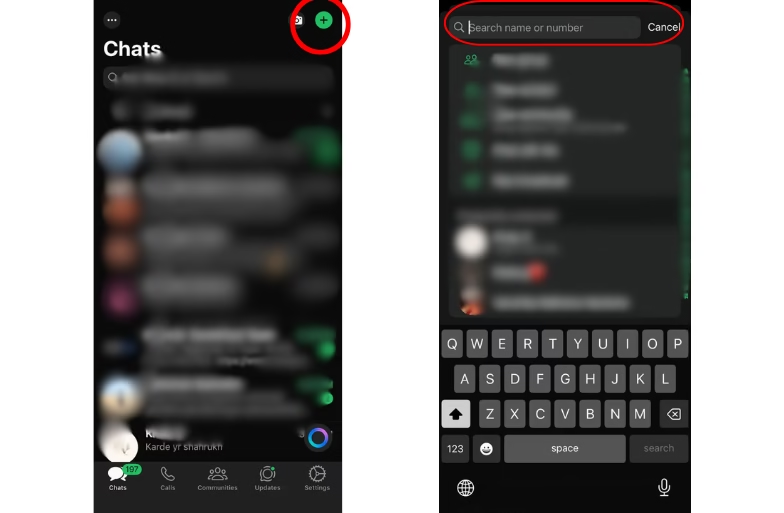
- Open WhatsApp
- Clip on the top left “+” icon
- Copy and paste the number
- If the number is active on WhatsApp, the chatbox will appear

Method 2 – WhatsApp’s Official Click-to-Chat Link
- The users are advised to open their browser (Chrome, Safari, etc.).
- Type the given link in the address bar: “https://wa.me/NUMBER”
- Now, replace the “NUMBER” with the full phone number with country code. Example for India:
https://wa.me/91981212121 - Click Ok. A page will pop up that reads “Continue to Chat” button.
- Click on the “Continue to Chat”.
- The WhatsApp window will open and allow you to chat with that contact without saving the number.

Method 3 (Walkaround)
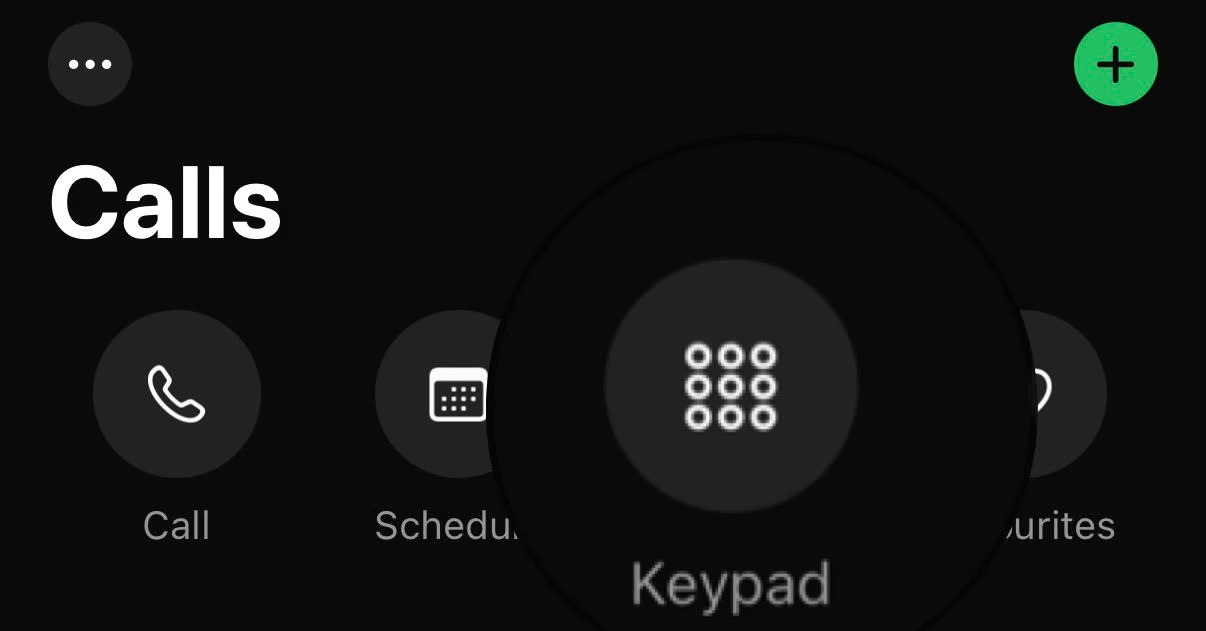
The process is simple and works for both Android and IOS. Starting with a very simple way and an easy way. The platform has added the dialer pad to the application for a better experience. This makes it super easy to talk or chat with people without saving their numbers.

-
- Open the WhatsApp application on smartphones
- Go to the dial pad
- Copy and paste the number in the dial section
- If the number is active on WhatsApp, an icon of chat will appear on the left side of the section
These methods are quite convenient for users for one-time conversations, business enquiries, sharing locations with a delivery guy, or any other one-time chat. All the above-mentioned methods can be used to message any WhatsApp users without cluttering your phonebook.