


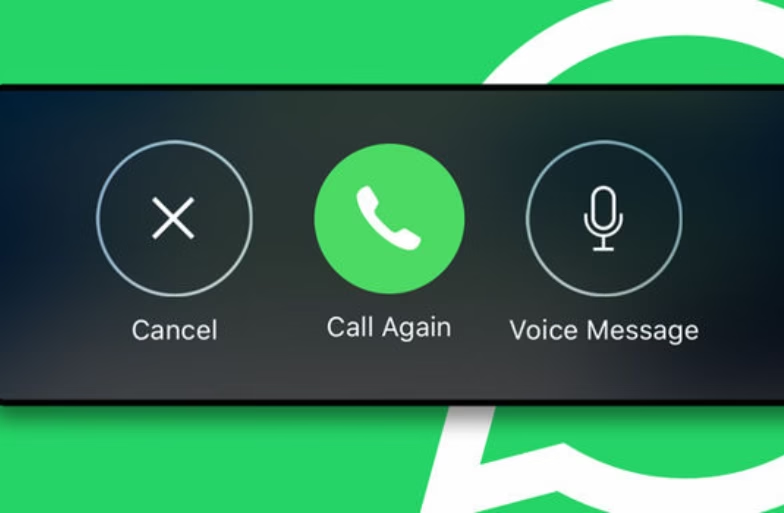
WhatsApp has rolled out a new calling feature that lets users send instant voice or video messages when a call goes unanswered. The feature aims to make missed calls more useful by allowing callers to explain the reason for calling without switching to chat manually.
Before using this feature, make sure your WhatsApp app is updated to the latest version.
How To Use WhatsApp Missed Call Voice Messages?
Follow the steps below to use the missed call message option:
- Make a voice or video call on WhatsApp.
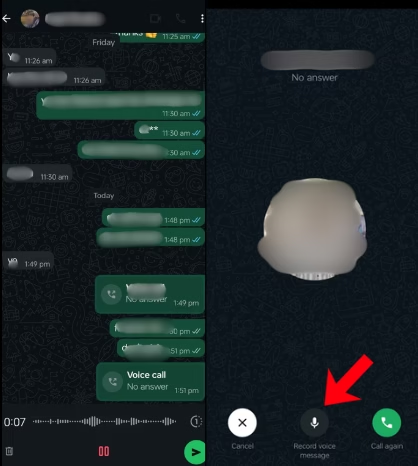
- If the call is not answered, tap the Record Message option shown on the screen.
- Choose whether you want to record a voice message or a video message.
- Record your message and send it directly from the call screen.
- The message will appear in the same chat as the missed call and the recipient can play it anytime.
FAQs
Is the missed call voice message feature available to all WhatsApp users?
The feature is being rolled out gradually. It is available to users who have updated WhatsApp to the latest version.
Can I send both voice and video messages after a missed WhatsApp call?
Yes. WhatsApp allows users to choose between a voice message and a video message when a call is not answered.
Where does the missed call message appear in the chat?
The message appears in the same chat thread as the missed call. It is just like a regular voice or video note.
Is the message sent automatically after a missed call?
No. Users must manually tap the Record Message option to send a voice or video message.
Does this feature work for group calls?
At present, the feature is designed for one-to-one WhatsApp voice and video calls.
