






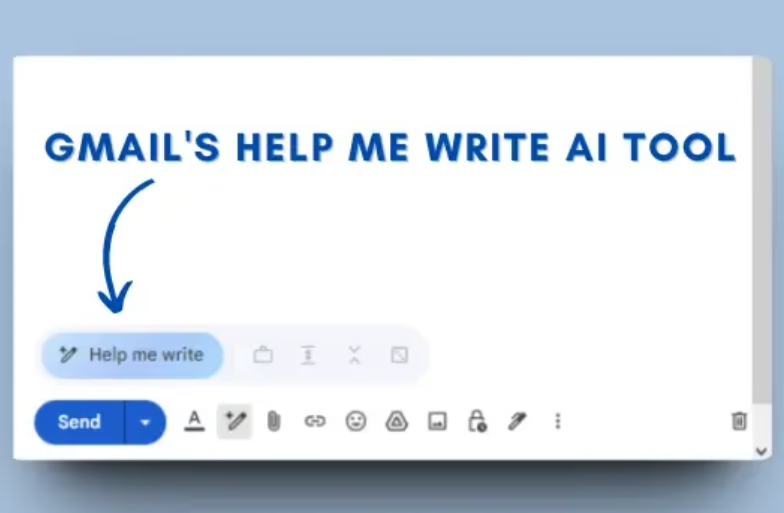
In today’s busy world, writing clear emails takes time and effort. To make it easier, Gmail, one of the most popular email platforms worldwide, has recently introduced the Help Me Write feature to help users draft and improve emails quickly and effectively. It is an AI-powered assistant that drafts or refines emails. It is currently rolling out in stages.
Users can easily find the update in Gmail’s compose window and draft emails to save time, improve email tone and reduce writing stress. The update works by entering prompts or selecting text to refine. For more details, continue reading the full report.
Prerequisites for Trying Out the Gmail Update
Before trying out this latest feature, people must have the following requisites:
- Update Gmail to the latest version on the web or mobile.
- Ensure AI tools are enabled in your account (Workspace users may need admin approval).
Steps to Use Help Me Write in Gmail
Follow the steps below to try this update on your device:
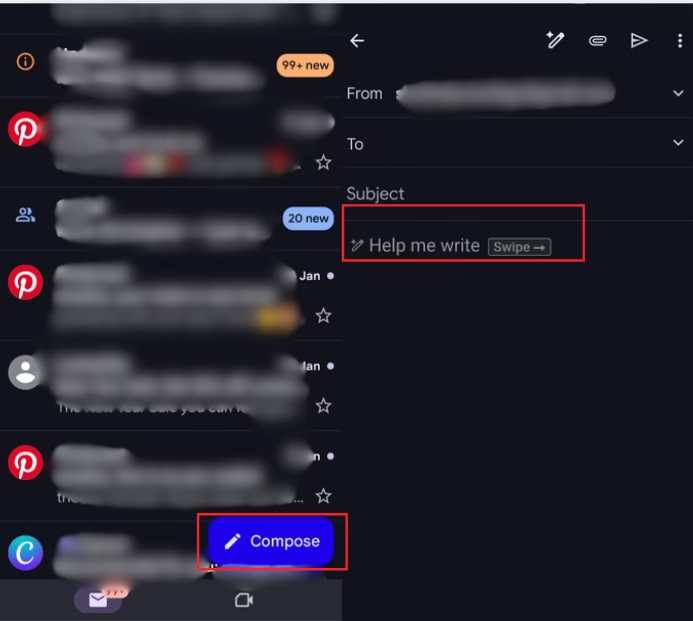
- In Gmail, click on “Compose” to start a new email.
- Look for the “Help Me Write” icon at the bottom of the compose window.
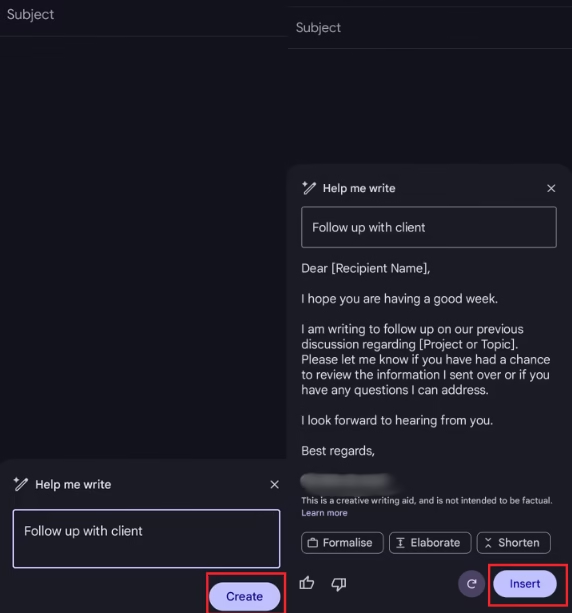
- Enter a Prompt and click on “Create” to generate a new draft.
- Next, edit the AI-generated content as needed.
- Lastly, finalise your email and send.


FAQs
- Who can use Gmail’s Help Me Write?
Most Google account users on the web and mobile. Workspace users may need admin permission. - Can I control the tone of my email?
Yes, you can ask Help Me Write to make your email formal, casual, longer, or shorter. - What if I don’t see the feature?
Update Gmail. For Workspace accounts, check with your admin to enable AI writing tools. - Is Help Me Write free?
Yes, it is available to eligible Gmail users at no additional cost.


