






I’ve been tracking Google’s “Feature Drops” for years, but this latest discovery is a major first for anyone who relies on a train or bus to get around. If you’ve ever felt that mini-panic when your phone starts blaring a loud ringtone in a quiet train carriage, or if you’re tired of being spammed by social media pings while trying to read on your way home, Google has a solution. It’s called Transit Mode, and it’s about to make your Pixel feel a whole lot smarter.
I noticed that the team at 9to5Google managed to force this feature live, and it’s currently hiding in a new menu path: Settings > Modes > Transit. This isn’t just a simple “Do Not Disturb” toggle; it’s a context-aware profile that understands exactly where you are and how you want your phone to behave the moment you step onto public transport.
The Intelligent Commute: Silence and Focus
The genius of Transit Mode is that it automates the “boring” stuff you usually have to do manually. You can set it to automatically flip your phone to vibrate or silent the second it detects you’re commuting, and it can even ensure your Bluetooth is toggled on so your earbuds are ready to go. But the real “killer feature” here is the granular notification filtering.
-
Smart Filtering: You can whitelist specific people (like family or your boss) and essential apps (like Slack or Work email) while silencing everything else.
-
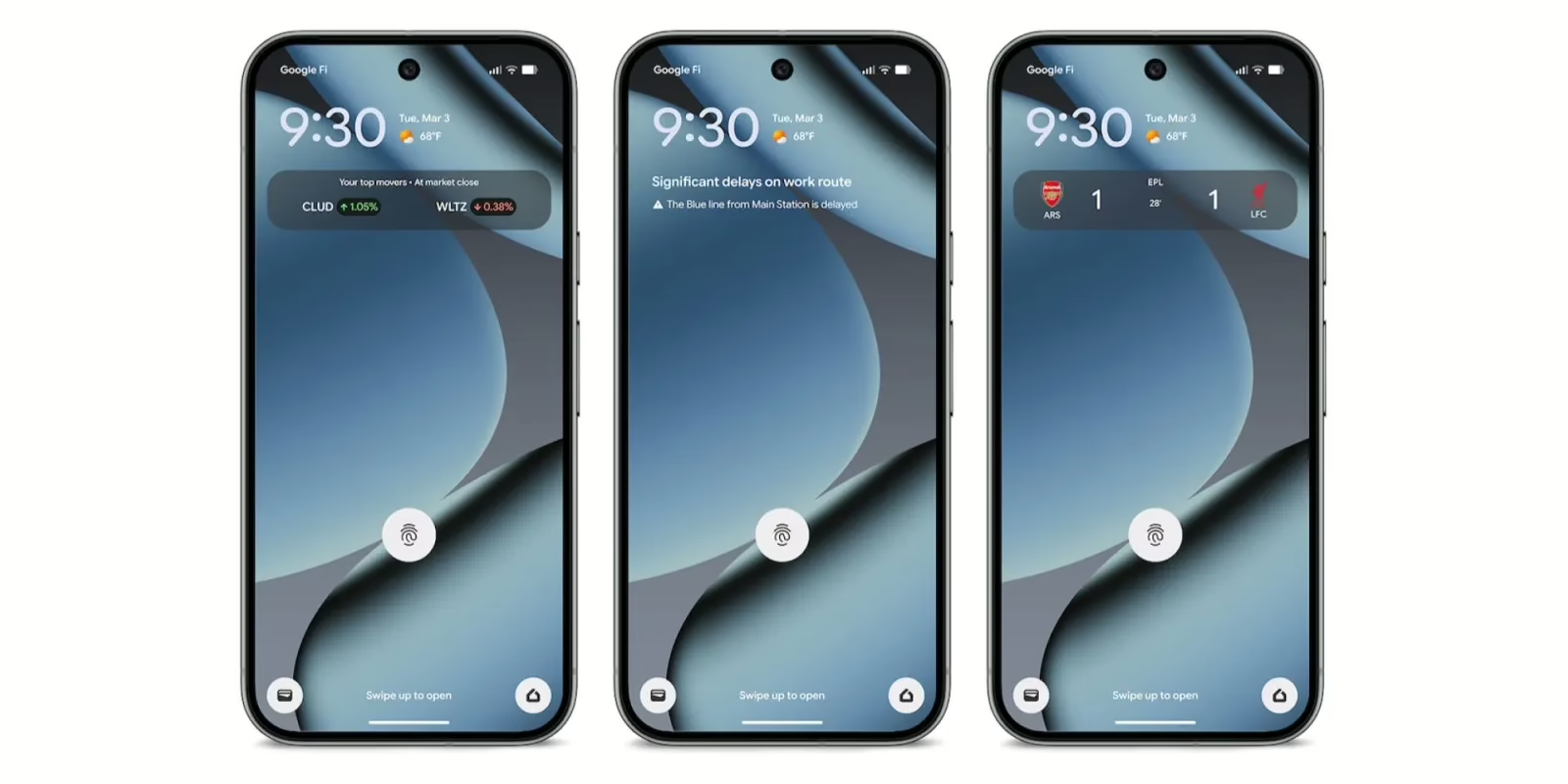
At a Glance Integration: Your home screen will now show real-time updates like “The Blue line from Main Station is delayed,” directly in the widget.
-
Why it matters: It removes the digital “noise” of a commute, letting you focus on your book or podcast without missing a genuine emergency or a transit delay.
The “Learning” Phase: Be Patient
There is one catch I should warn you about: you can’t just flip a switch and expect it to work perfectly today. To get this running, you have to clearly mark your Home and Work locations in Google Maps and grant precise location permissions. Google is being very upfront that your Pixel needs to “learn” your life. It takes about 2 to 3 weeks for the system to recognize your unique commuting patterns before the automation kicks in reliably.
I also noticed that, for now, this appears to be a Pixel 7 and newer exclusive. If you’re still rocking a Pixel 6, you might be left out of the party this time around due to the specific Tensor requirements. It’s a bit of a bummer, but for those with newer hardware, it’s a massive quality-of-life upgrade that officially ends the era of “fumbling with settings” on the bus.
I’ll keep you updated as this starts appearing on more devices—let’s see how this performs in real-world use once the learning phase is over.


